Putting your logo on a T-shirt sounds simple enough.
Choose a shirt, send over the logo, print it. Done.
In reality, there are a few decisions between the artwork on your computer and the finished garment, and those decisions can make a significant difference to how professional the final T-shirt looks.
You need to consider the printing method, garment fabric, logo size, placement, artwork quality, colours and quantity. A printing method that makes perfect sense for 100 simple one-colour logos might not be the right choice for 10 shirts featuring detailed, full-colour artwork.
Whether you're ordering T-shirts for your business, staff, event, gym, hospitality team, clothing brand or merchandise range, this guide covers the main things you should know before sending your logo to print.
Step 1: Start With the Right Logo File
Good T-shirt printing starts with good artwork.
One of the most common problems is receiving a logo that has been copied from a website, screenshot from social media or saved as a tiny image.
It may look perfectly fine on your phone, but become blurry or pixelated when enlarged for printing.
Whenever possible, provide the original artwork.
Useful file formats can include:
- AI
- EPS
- SVG
- High-resolution PNG
Vector artwork is particularly useful because it can be resized without losing quality.
If you don't have the original logo file, don't panic. Depending on the artwork, it may be possible to prepare or recreate it in a print-ready format before production.
Step 2: Decide Where the Logo Should Go
Before choosing a printing method, think about placement.
Where the logo sits can completely change the appearance of the shirt.
Left Chest
A small left-chest logo is one of the most common options for business uniforms, staff shirts and branded apparel.
It's visible without dominating the garment and works particularly well when combined with larger branding elsewhere.
Centre Chest
Placing a logo centrally creates more visual impact and can work well for merchandise and casual branded clothing.
The size becomes particularly important here. A logo that's too small may feel lost, while an oversized business logo can make the shirt look more promotional than intentional.
Full Front
Larger front designs are common for merchandise, events, brands and graphic T-shirts.
At this size, the artwork and printing method become particularly important.
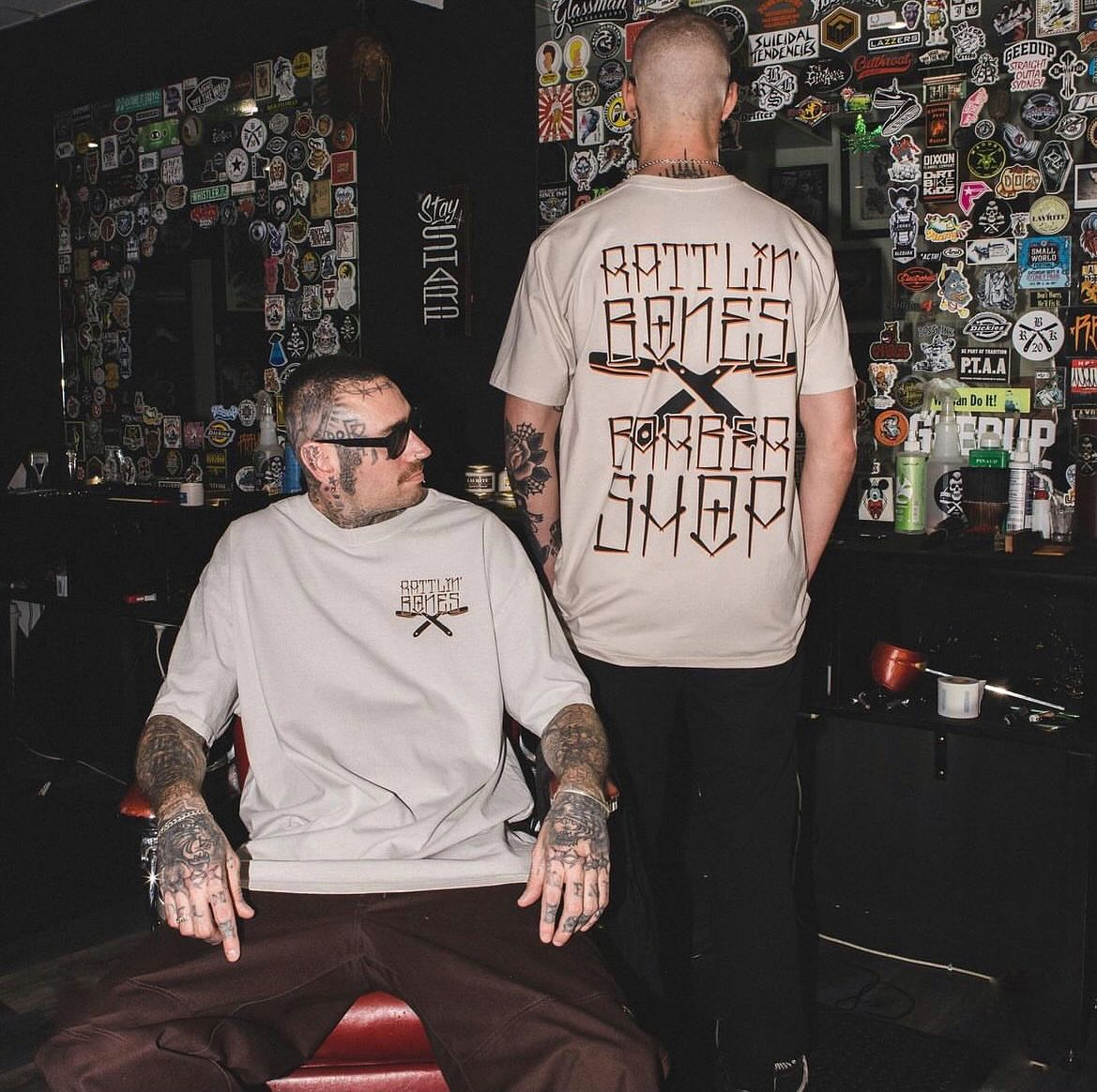
Full Back
The back gives you significantly more space.
Businesses often use this area for combinations such as:
- Logo
- Website
- Phone number
- Services
- Tagline
- Larger brand graphic
For merchandise, the back can also become the main creative element while the front remains minimal.
Sleeve
Sleeve printing is useful for secondary branding, small logos, sponsors or additional design details.
You don't necessarily need to put the same logo everywhere. Different placements can perform different roles within the overall design.
Step 3: Choose Your T-Shirt Printing Method
There isn't one printing method that's best for every logo.
At Halo Print Co, some of the key options include screen printing, DTF and DTG, with embroidery also worth considering for certain logo applications.
The right choice depends on the artwork, quantity, garment and finish you're trying to achieve.
Screen Printing
Screen printing is one of the most established methods for printing T-shirts.
Ink is pushed through a mesh screen directly onto the garment, with individual screens typically created for different colours within the artwork.
Screen printing is particularly suited to:
- Larger quantities
- Bold logos
- Limited-colour artwork
- Merchandise
- Staff uniforms
- Large front and back graphics
- Repeat orders
The setup involved means screen printing often becomes more economical as quantities increase.
It can also produce an excellent finish for strong graphic artwork, typography and relatively simple logos.
If you're ordering a substantial run of shirts featuring the same one- or two-colour design, screen printing is often worth considering.
DTF Printing
DTF stands for Direct to Film.
The artwork is digitally printed onto a specialised film before being transferred onto the T-shirt using heat and pressure.
DTF provides considerably more flexibility when your logo contains multiple colours or detailed elements.
DTF is particularly useful for:
- Full-colour logos
- Detailed artwork
- Smaller quantities
- Complex graphics
- Multiple colour variations
- Short merchandise runs
- Personalised apparel
Because separate screens aren't required for every colour, detailed designs can be produced without simplifying them into a small number of spot colours.
DTF also works well when you need multiple placements or smaller runs where screen-print setup may not be practical.
DTG Printing
DTG stands for Direct to Garment.
As the name suggests, the artwork is digitally printed directly onto the garment rather than first being printed onto a transfer film.
It's particularly useful for detailed, full-colour artwork and designs with complex colour variation.
DTG can work well for:
- Detailed illustrations
- Full-colour designs
- Photographic-style artwork
- Gradients
- Smaller runs
- Merchandise and fashion applications
The garment itself matters with DTG, so the shirt and print method should be considered together rather than independently.
What About Embroidery?
Technically, embroidery isn't T-shirt printing at all - but it's another option for putting a logo onto apparel.
Instead of using ink or a transfer, your logo is stitched directly into the fabric with thread.
For standard lightweight T-shirts, printing will often be the more natural choice. But embroidery can work for certain garments, particularly when you're after a small, premium logo.
It's more commonly associated with polos, caps, jackets, hoodies and heavier garments.
If you're developing a complete uniform range rather than T-shirts alone, you might use printing on your tees and embroidery on your polos, jackets and caps.
Step 4: Consider the Number of Colours in Your Logo
Colour can influence which printing method makes the most sense.
Imagine you have a simple logo using black and white.
That could be an excellent candidate for screen printing, particularly across a larger order.
Now imagine your logo contains:
- Six colours
- Gradients
- Fine shadows
- Small details
- Colour transitions
Producing that artwork involves a different set of considerations.
DTF or DTG may give you more flexibility for detailed, multi-colour artwork.
That doesn't mean you should automatically select a digital printing method whenever your logo contains multiple colours. Quantity, garment and desired finish still matter.
The artwork needs to be assessed as part of the complete job.
Step 5: Choose the Right T-Shirt
The blank T-shirt is just as important as the print.
Putting a great print onto the wrong garment still gives you the wrong result.
Before ordering, consider:
- Fabric composition
- Fabric weight
- Fit
- Sizing
- Colour
- Intended use
- Washing frequency
- Budget
A shirt being used as a staff uniform has different requirements from one being sold as merchandise.
For Staff T-Shirts
Think about comfort, durability and practicality.
If your team will wear the shirts regularly, you want something appropriate for their working environment rather than choosing solely on price.
For Merchandise
Fit, fabric weight and overall appearance become particularly important.
If you're asking someone to pay for your branded T-shirt, the garment itself needs to feel like something they'd genuinely choose to wear.
For Events
Budget and quantity may carry more weight, particularly when the shirts are being produced for one particular occasion.
There's no universal "best" T-shirt. The right blank depends on what you're actually producing.
Step 6: Think About Logo Size
One of the easiest ways to make branded apparel look awkward is to make the logo unnecessarily large.
Your logo doesn't always need to occupy the maximum available print area.
For staff uniforms, a relatively small chest logo can provide plenty of brand visibility.
For merchandise, subtle branding can sometimes make the shirt considerably more wearable.
For an event tee, on the other hand, a large front or back design may be exactly what the project needs.
Think about proportion rather than simply asking, "How big can we print it?"
Step 7: Think About Contrast
Your logo needs to work with the colour of the T-shirt.
A dark logo printed onto a black shirt may disappear unless the artwork is adjusted appropriately.
Similarly, a logo originally designed for a white digital background may need a different colour version when printed onto dark apparel.
Many businesses have multiple approved versions of their logo for exactly this reason.
Before production, consider whether you need:
- Full-colour logo
- Black logo
- White logo
- Reversed logo
- Single-colour version
This gives you considerably more flexibility when choosing garments.
Step 8: Decide How Many T-Shirts You Need
Quantity can influence the production method and overall cost.
If you're ordering a larger number of identical shirts, screen printing may become an efficient option.
For a smaller run with complex full-colour artwork, DTF or DTG may make more sense.
Before requesting a quote, try to have an approximate idea of:
- Total quantity
- Size breakdown
- Garment colour
- Number of designs
- Print placements
"50 shirts with the same front logo" is a very different production job from "50 shirts with five different designs and individual names."
The more accurate the information, the more accurately the job can be quoted and planned.
How Do You Print a Logo on a Black T-Shirt?
Dark garments require additional consideration because the fabric colour can influence the appearance of the print.
Your artwork may need a white base or other production adjustments so the colours remain visible and accurate.
You may also need to use a reversed or light-coloured version of your logo.
This is why it's useful to send the actual artwork and desired garment colour when requesting a quote rather than simply saying you need "logo printing."
Can You Print a Logo on the Front and Back?
Yes.
Front-and-back printing is extremely common for business T-shirts, uniforms, events and merchandise.
For example:
Front: Small left-chest logo
Back: Large logo, website or graphic
You can also add sleeve printing for additional branding.
Just remember that every additional print location adds another production element to the job, so it's worth deciding whether each placement genuinely contributes to the design.
Can Every Logo Be Printed on a T-Shirt?
Most logos can be adapted for apparel, but that doesn't necessarily mean the exact file you currently have is ready for production.
Potential issues include:
- Low-resolution artwork
- Very fine details
- Tiny text
- Complicated gradients
- Incorrect file formats
- Colours that don't work with the chosen garment
- Artwork designed only for digital use
In some cases, relatively small artwork adjustments can make a substantial difference to the final result.
How Do You Make a Logo T-Shirt Look Professional?
Start by thinking about the T-shirt as an actual garment rather than simply a surface for advertising.
More branding isn't automatically better.
Consider the balance between:
Logo size + placement + garment + print technique + colour.
A small, carefully positioned logo on a quality shirt can sometimes communicate a brand more effectively than an enormous logo covering the entire chest.
If you're creating merchandise, ask yourself a very simple question:
Would someone wear this if they weren't at work?
If the answer is yes, you're probably moving in the right direction.
Common Mistakes When Printing Logos on T-Shirts
A few common mistakes can easily be avoided before production.
Using a low-resolution logo
A screenshot isn't the same as print-ready artwork. Send the original design files whenever possible.
Making the logo too large
Maximum print area shouldn't automatically become your default logo size.
Choosing the cheapest shirt without considering its purpose
The garment affects how the entire finished product looks and feels.
Ignoring the number of colours
Artwork complexity can influence which printing method is appropriate.
Designing without considering the shirt colour
Your logo needs enough contrast against the garment.
Choosing a printing method before assessing the artwork
Start with the complete project: design, garment, quantity, placement and intended result.
Screen Printing vs DTF vs DTG: Which Should You Choose?
As a general starting point:
Consider screen printing for larger quantities and bold designs with relatively few colours.
Consider DTF for detailed, multi-colour artwork, flexible placements and smaller production runs.
Consider DTG for detailed, full-colour designs where direct-to-garment printing suits the artwork and chosen garment.
But don't treat these as absolute rules.
Two projects with the same quantity can still require completely different production methods because the artwork and garments are different.
The best way to choose is to assess the job as a whole.
Ready to Put Your Logo on a T-Shirt?
Whether you need shirts for your staff, business, gym, café, event, club or next merchandise drop, Halo Print Co can help you turn your logo into apparel that looks considered and professional.
From choosing the right T-shirt and preparing your artwork to deciding between screen printing, DTF and DTG, we'll help you select a production approach that suits your design, quantities and intended result.
Already have your logo?
Send Halo Print Co your artwork, approximate quantities and an idea of what you'd like to create, and we'll help you work out the next step and provide a quote.